
Tiny Brutalism
A downloadable game for Windows, macOS, and Linux
TINY BRUTALISM
A cozy little sandbox for making not-so-cozy architecture.

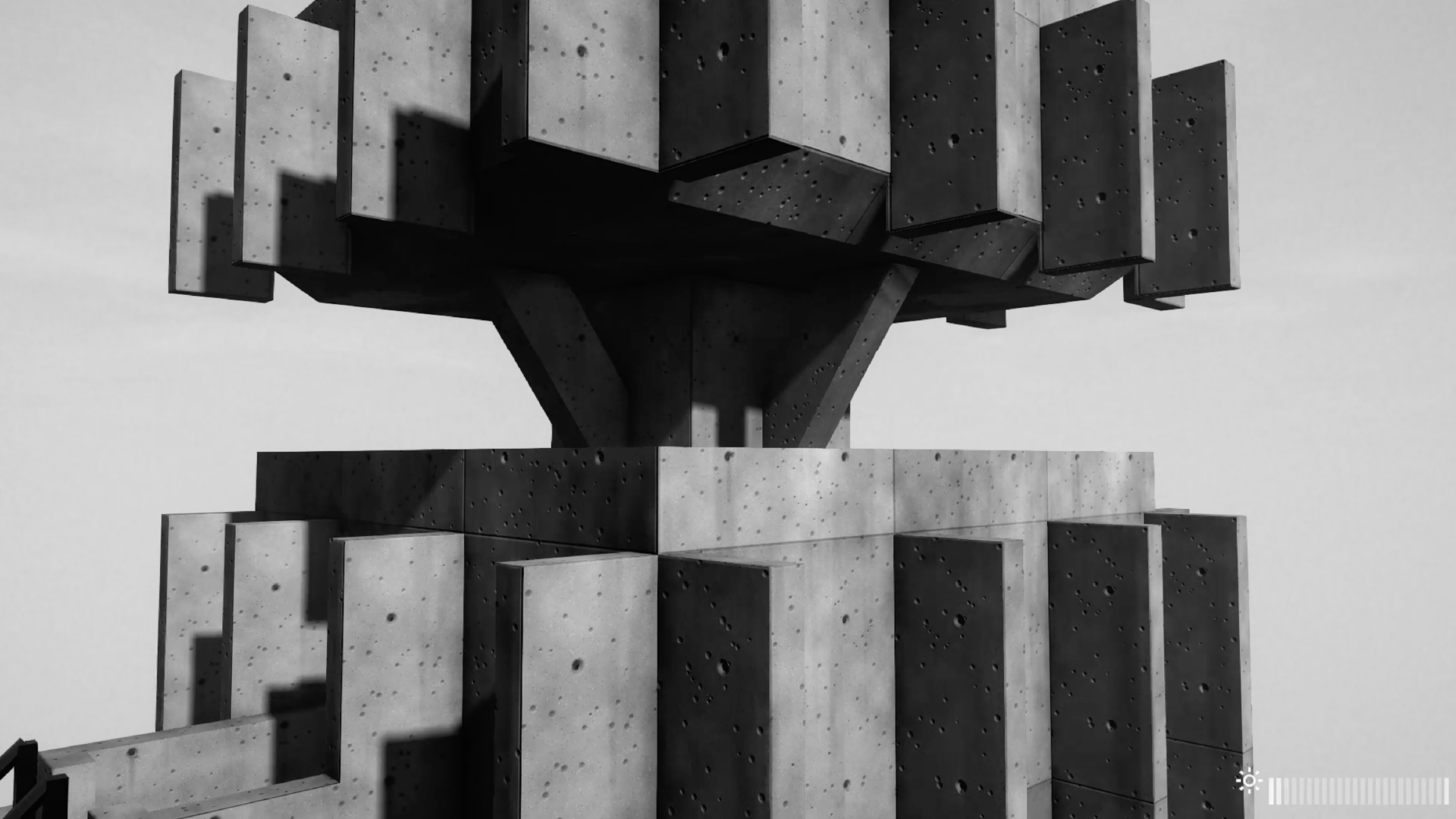
Tiny Brutalism is a relaxing freeform building game inspired by brutalist architecture.
Create strange monuments, impossible structures, concrete towers, or just a really big wall.
There's no goal and no right way to build. Just make whatever you feel like making.
CONTROLS
* Click: build (click + hold to fill an area)
* Shift + click: remove
* Hold and scroll to flip through variants
* Ctrl/Cmd + Z: undo
* Click the sun icon to toggle day/night
* Esc: menu, settings and plot size
CAMERA
* Right-drag: orbit
* Middle-drag: pan
* Scroll: zoom
Please share your creations with me! Photos are saved locally. Use "Open Folder" in the settings to get them.
Purchase
In order to download this game you must purchase it at or above the minimum price of $5 USD. You will get access to the following files:
Development log
- Eco-Brutalism Update3 days ago


Comments
Log in with itch.io to leave a comment.
hooo this is a good one ! i love those wooden block type games :D
Colors and texture are just right, and the selection of blocks is nice.
tho one thing make the game meh in my opinion, and could use a bit more work : consistency. (LONG TEXT AHEAD)
Tiny-brutalism is hesitant between giving control or not to the player, and i believe the game would be better if you choose between the two option instead of the weird half/half that is going on now. Let me explain :
In townscaper, the player has no control over the decoration. the game has a fixed algorythm that make decoration appear whenever this or that shape is made. To build exaclty what the player want, he need to learn what patern of block make what decoration.
In Tiny Glade, the player have a total control of what's going on. they decide were everything appear or not. The game wont create anything by itself.
Here in Tiny Brutalism, there is a weird in between were some features appearing by themself (mainly support and gutters) and other that the player have control over (doors, windows, plants).
Also, some feature appears by themself AND i have control over, wich mean if i want a big empty wall, i make the wall then i need to remove every windows. I can't place a bridge but i need to remove those that appears, same with slopes that i can place but the game also randomly can.
I think Tiny brutalsim need a better disctinction between blocks, that the player place, and decoration, that happend by themselves. Either give me control of windows and dont place them randomly, or let the game decide were the windows end up. (the windows exemple is what's bothering me the most, but it is also true for slopes, bridges and cables.
Some Quality Of Life feature that would also be nice :
Deleting and moving the view on the same input is not the greatest, a button to switch between "build" and "delete" would be nice. It could also make drag and delete possible.
Ctrl+Z and Ctrl+y - undo/redo are a must have
More keyboard shortcut in general ! don't keep that gem mouse only
the cycle between option is not the greatest at the moment. I know a menu with everything displayed is not the best option, but maybe copying the last placed block everytime, or something else ?
Some content suggestion :
Water, lilypads, and moss on the walls
full width stairs
Round collums, round windows, rounded slopes (like in a skatepark)
Blocks with real see through holes (square and circle ones
I would gladly pay five or ten more dabloons for all of this ! you have a great game on hand, and i will love to see where its going !
I had fun making this, third project on the game and I found a good groove in making structures. I have some fun artistic ideas for something I could do with the game later and I'm glad to have gotten this!
Some feedback/requests:
--The controls say "hold and scroll to flip through variants" but as far as I can tell this does not allow me to adjust or create pillars, or the diagonal supports. It would be nice to have some control over those features. Same with some randomly generated wall ridges that I would like to make on my own. I do understand that this makes it more like Tiny Glade (and Townscaper), though, so if that has to remain then I understand. I'm less bothered by the random drainpipes, that's fine.
--Not sure if this is a bug, but if a bridge is generated at build height limit I cannot right-click the surface of a block at the edge of a structure to remove the bridge. I sort of wish there was a way to make bridges freeform, too.
--Another thing that I noticed is that doors can only be built at ground level, so I cannot make a door on a balcony or on a raised platform up some stairs. Would be nice if doors were just part of the general wall decoration family for all surfaces.
--Lastly, it's a bit too easy to remove lights by accident! I cannot tell you how many times I'll be rotating the build, placing lights, and then realize I accidentally right clicked on a light while rotating and then deleted the light. Is it possible to just make the light-delete the usual shift-click instead?
can you output the buildings to some kind of 3d model format?
Been enjoying this game a lot, I think it's 100% worth the price and has a really promising future
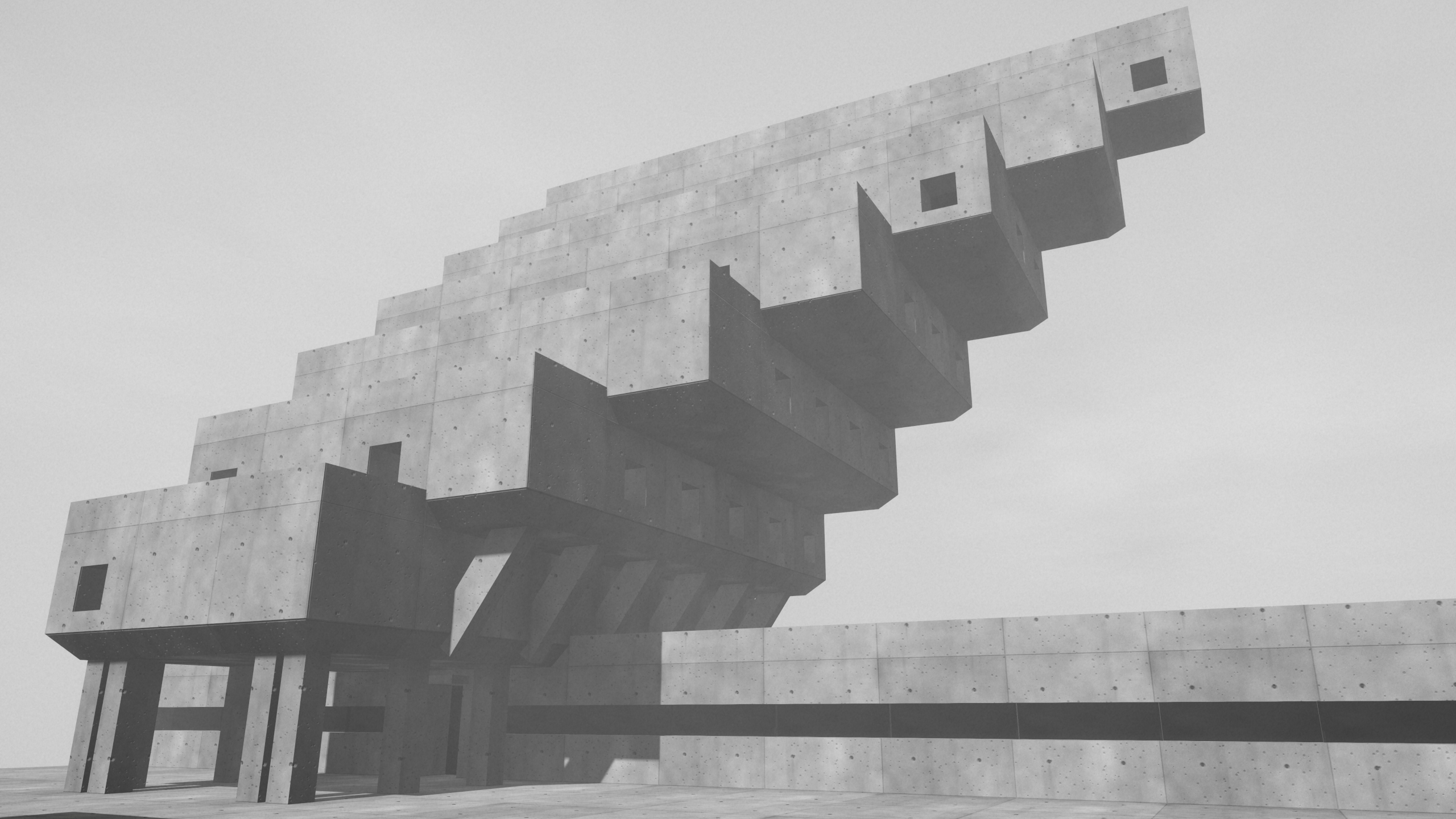
I think some sort of half block would be really useful for builds like the one in the image and just for general use, but with the tools currently available it's still an extremely fun builder
nice molchat doma reference! I made a video of me timelapseing the game with their music in bg :)
This is a wonderful little builder. Really enjoying it.
I can see it being very useful for generating references for my drawings!
This is such a fun little toy to play around in !!! As a self proclaimed eco-brutalist lover this scratches that itch very deeply for me. It's so easy to make something really gorgeous and although the fog is an eensy bit intense, it's still a really nice looking game. I really really appreciate the Mac build!!
I've put together some UI/UX suggestions that come out of some of the things I struggled with, but there's no obligation to use any of these (i'm a random stranger who just happens to have a design degree lol)
pin icon -> tree icon
Agreed. I didn't think to try cmd+z since I could not use the numberpad to rotate the camera.
What a gem! It combines two things I love; brutalist architecture and cozy games. Stumbled upon this project completely at random through my YouTube recommendations, and just knew I had to get it. Would love to see a night time mode added to this. I know you can use shortcuts to remove unwanted elements, but maybe it would be cool to get an undo button as well. Can't wait to see the updates on this. It would be amazing to implement more concrete textures in the future, perhaps lamps with color variations etc.
There is a night time mode!! You just have to click the sun icon and it changes to night
Downloaded and loving it :) Touchpad optimised camera controls (eg. shift+scroll to pan) would be great for laptop users!
I agree! Or if not, a way to change sensitivity. Soo much double-finger dragging to orbit just a little bit
So will this be able to export so that it can be used as a prototyping tool in some ways or is it just a cute toy like Tiny Glade was?
Question, when it says "Hold and scroll to flip through variants" what button specifically should I be holding?
Press the left mouse button and hold it down while you scroll.
I tried that and it only moves the camera
Can you export these into unity and use on your own games? That would be great! Even if not in a fbx format but has a package or something
Happy to see all the excitement around this gem! Funnily enough I have worked on a game "Tiny Brutalism" couple weeks ago as well. "Great minds..." :) You guys nailed it.
Collected my thoughts in a video:
Hey. Really cool that you shared these thoughts. There's definitely a lot of approaches to take with the genre. Still countless other potential combinations to explore. It's interesting that you both looked at it in different ways. Really, you can take any architectural style, combine two, or even more interestingly, invent your own.
I'm a hobbyist graphic designer so I thought I'd make a poster
Well, I definitely didn’t expect to see a poster come out of it, that’s rad!
Definitely my vibes! Question: People are mentioning fbx export, do you have any plans for that?
I'm curious about this too! I will even happily pay double if it has good 3d options export
the most requested feautre... im looking at this option!
Amazing game! It makes creating these buildings really easy. Very well done. Are you fine with me using edited screenshots of this game as album cover art for my music?
as long you share them with me to enjoy! haha forsure, thank you :)
Yay! Will do as soon as I've released them!
I've had a lot of fun creating and editing images with this game/ tool. One thing/ feature I'd love is for a window type where each square is divided up into 16 little windows, with a slightly varied glow coming from each so you can simulate a giant tower block/ skyscraper and make cityscapes.
Buyed and I love this project and the possibilities!

Personally I would love to have an to add tiny colour details like for example a small Red Pot or a long Flag Banner with one color you know... a Cherry on the top of the image composition.
Regardless of this I'm a big fan here. Can't wait for the project elaboration.
Cheers!
This is really cool, but is there a frame rate limit on it? My GPU was going ham while running this.
Damn, sorry about that! Will be fixed in the next hotfix! Thank you
Agreed.
I have a 5070 12GB and I have NEVER heard its fans spin this fast and this loud for a game that's this small.
Okay I bought the game and tried it out. I just want to say that looking forward to its development and like others have mentioned below, it has huge potential. Please, keep working at it.
Here is my 2 cents/review:
1. It definitely needs a way bigger lot. Why limit it to 8x8. Why not 64x64 for example? Or even bigger? Currently there's not more than a few minutes of gameplay.
2. Option/tool to decide what kind of block(s) each new block will be, instead of random generation. People really want to have that ability to build on their own terms
3. Options to reduce the fog / more weather options / overall better visibility
4. Lights to place. Lightpoles or any kind of lights
5. Some sort of backdrop option, besides only having plain gray
6. More settings/options. Ability to turn off the music, but keep some kind of ambient sound sound and block building sounds. The zoom/scroll needs option, because currently it is way too slow. I would prefer 5-10 x faster zooming
Overall, huge potential to build around this. I would hope to see this kind of game to be level based, where the player has tasks and limitations based on each level and that the gameplay deepens and widens as the player progresses through levels. It would be cool that the structures wouldn't build supporting pilars automatically, but it would be on the player's responsibility, so that the building doesn't collapse. This type of game could have really cool brutalism/megastructure lore too, but of course, that's totally up to you.
I would also recommend creating a Steam page to this with a demo-page where reviews are enabled, as it could get more traffic and feedback there.
edit. I just noticed that there is lights. Didn't understand that when first trying it and that there is a star sky when in night mode
Hey, thanks for the deep dive! Really interesting feedback.
I’m curious if you also missed the plot size options in the settings (up to 16×16), as well as some of the building tools that give you more control over what you build—like slopes, windows, and cables. Just trying to understand what might’ve gotten lost or wasn’t clear enough!
Besides that, great suggestions here! I’ll definitely look into doing more with the sky and weather possibilities.
I noticed the slopes and cables, but the window option I only understood in my like third playtime. I thought it was doing something else. Also the tilesize I found in the third try as well, because I rewatched the trailer and saw a bigger lot there, so I found it in the settings when searching for it. I'm still trying to figure out how to do trees :D haven't yet figured it out even after multiple tries.
Hey really cool game! I really enjoy brutalist architecture and Tiny glade. it seems the game is quite early in development and a lot of features could be added, I would love to help you with the game if you need/ want. Greetings from a 23 year old guy looking to get into game dev!
I like this very much!!! really feel the atmosphere and very good build.
Feedback : Need some option for random element or choosing element, such as door or when deleting block.
Keep it up, really good cozy game here.
System requirements?
Otherwise I like the idea and look! Will consider buying when I know the requirements.
specs:
Windows 10 / macOS 12+ / Ubuntu 22.04+ Any GPU from the last ~8 years, integrated is fine, M1 Macs are plenty 4 GB RAM ~250 MB disk
It's a small game, no dedicated graphics card needed.
I would love this to come to Steam as well (haven't tried the game yet). Have you considered it?
素晴らしい作品です。
昼間の背景が眩しすぎる為、流れる厚い暗い雲などは追加できますか?
今後のアップデートも楽しみです!
b-e-a-u-t-i-f-u-l
Just interpreting what the replies say, it seems the buildplate isn't as big as people want. I may buy it though I think I'll wait for the update the creator mentions in one of the replies. Hopefully whatever size the builds can right now, can somehow get even bigger. :}
Hey its your lucky day! I just released the first update with tons of new features, resizeable plots are now in!
Having now played it some, I wish there was a bit more control with things. I'm not very familiar with the genera so I could be missing something but it seems that doors aren't able to be made on higher ledges from the ground. I also can't seem to create pillars very efficiently.
There's also not much variability with lights.
The size up is really nice though I am greedy and I want it to be miles.
A freecam mode and scrolling sensitivity for building would also be nice.
I love it how it is though. Incredibly fun. I just want more of what is there.
Love this. I'm torn, as on the one hand I love the simplicity, but on the other I'd love to have more control. Maybe an "Advanced" mode where you specify the elements placed with a click? Also, I would love a bigger canvas to build on.
Thank you! I was torn about this for the past 3 days haha. Just released a new update with much more control and a bigger canvas. I'm curious what you'll think.
Great news. Love the updates. Perhaps for future consideration, some street lamps/ more urban scatter etc?
Im from a region that cant pay on itch easily, i would appreciate if there is another way, maybe i can transfer the amount on your steam for example ;-;
Textures needs variations. And please, add fbx/obj export!
I like it! Please add an option to make the base/grid bigger so we can make bigger structures.
Freecam for building would be good too, give us a wasd mode to maybe get inside buildings easier to build and such.
I also notice that the scrolling is super slow, but maybe thats just my mouse/settings
Please add an obj/fbx feature i'd love to import these creations into my parkour game so I can jump around in them haha
Yes pls, add an obj/fbx export
Just bought it - totally awesome.
You're on to something here, so much room for additional features! Would love landscapes too! More architecture components! Sloped edges, so much potential here
Please keep working on this one, great job
Fantastic!!! I can not figure out how to move the camera, other than the AWSD for movements. Can't rotate it. I'm on a Mac!
Thank you! Right-click and drag to orbit the camera, scroll the mouse wheel to zoom, and hold the wheel and drag to pan.
Played around a bit. Can see myself jumping in and messing around a lot. Not sure how these types of game work, it seems a bit random what gets built. Like I'm kinda just letting the tool do its own thing while I sort of nudge it slightly in a direction. Also couldn't find the controls.
Lots of potential with this and looking forward to updates if there will be any. Really vibey chill experience as it is now though. Windows build would be nice!
Appreciate your feedback! Yeah, the randomness was my early approach, but I guess people expect more control from a builder game! I'll add it in the next update.
also a Windows build just dropped! :)
Thanks for listening! I'm usually pretty quiet about giving any type of feedback as I don't want to intrude on your original vision. Well, while were on the topic one feature request if possible...plants. Eco brutalism would be such a delight to create. There are also some procedural vine tools that can be crated during runtime. If you're using Unity 6, you can also apply post processing layers so you can seperate the black and white volume and apply a subtle color pop
https://docs.unity3d.com/6000.0/Documentation/Manual/urp/cameras/apply-different...
Isn't it WFC, or a variation on it ?
Unironically love the vibes.
Big fan of harsh cold sterile impressionistic brutalist buildings but also any kind of cozy builders too so this scratches a very specific very appreciated itch.
Any idea if we'd be seeing a PC/Windows port of it? Would love to play it far too much on my home desktop.
Thank you so much! I just added a Windows build!
TYSM! Best news I've heard all day!
Looking forward to playing it and seeing what you make next!